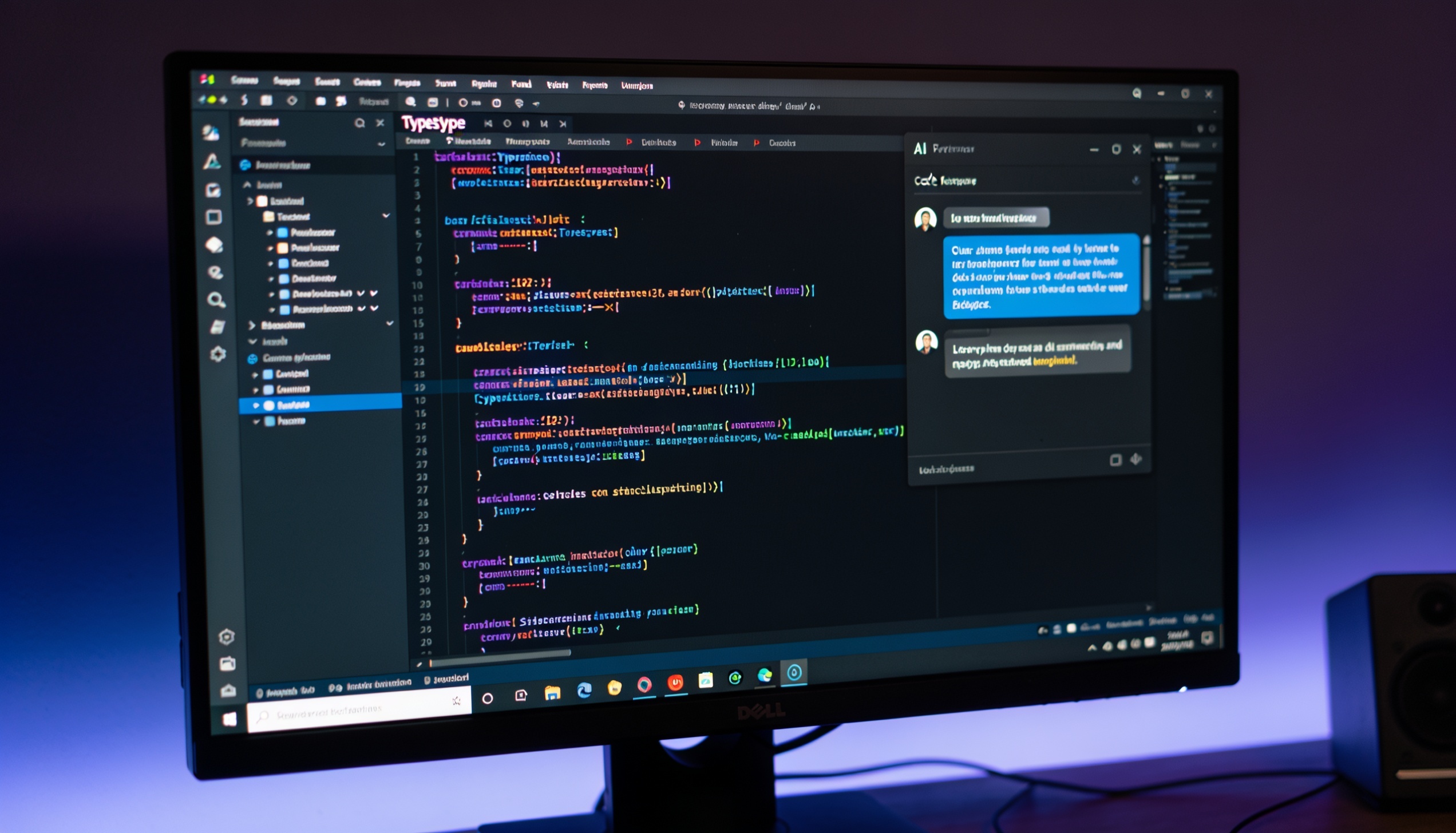
Cursor is worth it if you write code professionally most days. The $20/month Pro plan pays for itself quickly for developers who use agent mode on real projects — the tool saves an average of 90 minutes per day on routine coding tasks. If you are learning to code, or you code occasionally, there are cheaper options that fit better.
This review covers what Cursor actually does, what the June 2025 pricing change means in practice, how it compares to Windsurf and GitHub Copilot, and exactly who should skip it.
What Cursor is — and what it is not
Cursor is an AI code editor built on VS Code. The interface is nearly identical — same keyboard shortcuts, same extensions, same file structure. If you already use VS Code, the migration takes under 5 minutes and your existing configuration carries over intact.
The architectural difference is what matters. GitHub Copilot and similar tools are plugins layered onto an existing editor — they read the current file and whatever context you manually provide. Cursor is built differently: the AI is part of the editor architecture, and on setup it indexes your entire codebase. Every function, type definition, naming convention, and directory structure gets mapped. Every AI interaction draws on that complete picture by default, without you pasting anything.
In practice this means Cursor understands your code the way a developer already familiar with your project would. When you ask it to add a feature, it references how you built similar features elsewhere. When it writes new code, it uses your naming conventions and follows your existing patterns without you specifying them in each prompt.
The most useful feature built on this context is agent mode, called Composer. You describe a task in the Composer panel in plain English. The agent reads which files are relevant, writes changes across all of them, runs terminal commands to check compilation and tests, reads the output, and iterates. You review and accept or reject each proposed change. For tasks like 'add rate limiting to all API endpoints' or 'migrate this module from class components to hooks,' the agent handles the mechanical steps while you handle the judgment calls.
Users report saving roughly 90 minutes per day on routine coding tasks. The biggest gains are in boilerplate writing, where time drops by around 70%, and in debugging and understanding unfamiliar codebases. Those figures come from Cursor's own reported data, but they track with how developers describe the tool in practice. The value is clearest on tasks that are well-defined but tedious — writing the tenth function that follows the same pattern as the previous nine, or tracing a bug through several layers of an unfamiliar codebase.
Cursor is not a tool for people who cannot code. Cursor generates code you need to read, review, and maintain. If you cannot do that, the tool gets you stuck the moment something breaks — and it will break. For non-developers who want to build software without writing code, Lovable and Bolt are the right tools. Lovable generates full React applications from plain English descriptions, deploys them automatically, and connects them to a database — no coding knowledge required. Bolt is faster for simple pages and prototypes. Cursor is for developers. Lovable and Bolt are for everyone else.
What changed in 2025 and 2026
The pricing change is the most important thing to understand before paying for Cursor.
In June 2025, Cursor moved from a fixed 500 fast requests per month on the Pro plan to a credit-based model. The $20/month Pro plan now gives you $20 in monthly usage credits, and each AI request costs a different amount depending on which model you use. Claude and GPT-4o cost more per request than lighter models. A developer using Claude or GPT-4o for most agent sessions gets roughly 225 effective fast requests per month — less than half the original allocation at the same $20 price.
The CEO issued a public apology. The credit model remained. A portion of users migrated to Windsurf, which kept unlimited flows on its Pro plan at $15/month. Others upgraded to Cursor's Pro+ tier at $60/month.
For developers evaluating Cursor for the first time, the credit system is simply the current reality. Moderate users — coding 3-4 hours daily with selective agent use — stay within the $20 plan most months. Heavy agent users who run Composer frequently throughout the day will hit limits and need to plan for Pro+, or compare against Windsurf's unlimited plan at a lower price.
On the product side, background agents became a genuinely useful feature in 2026. Earlier versions required you to stay in the session for long-running tasks — closing the editor paused the agent. Now, tasks run on Cursor's infrastructure independently. You queue a large refactor or test generation job, close the laptop, and the agent continues. A notification arrives when the task is complete. For codebases where multi-hour tasks were previously impractical because they required active supervision, background agents change the calculus.
Model access expanded alongside this. Cursor now supports Claude 4.x (Sonnet and Opus), GPT-4o, and Gemini 2.5 with easy switching during a session. Matching the model to the task is practical: Claude handles complex architectural reasoning and edge cases best; GPT-4o is faster for straightforward edits; Gemini 2.5 has a large context window that handles projects with many files in scope simultaneously.
The features worth knowing
Tab completion is where most developers notice the difference first. Cursor predicts your next edit using context from your full codebase, not just the current file. The model handles multi-line predictions — often anticipating the next 5-10 lines correctly in a single tab press. On large projects where the same pattern exists elsewhere in the codebase, accuracy is noticeably higher than GitHub Copilot because Cursor has already indexed and understood those patterns. You do not prompt for this behaviour — it happens automatically.
Composer is the agent mode. You describe a task in plain English in the Composer panel. The agent identifies relevant files, writes changes across all of them, runs terminal commands to catch compilation errors or failing tests, reads the output, and iterates until the task is done or it hits something requiring your judgment. You review every proposed change before it is applied.
Composer works best on tasks with clear requirements and verifiable outcomes: adding a new API endpoint with tests, refactoring a module to a different pattern, generating test cases for existing functions, migrating components between state management approaches. It works less well on tasks that require understanding business context beyond what is in the code itself. Expect to review every output and catch errors — the value is that the starting point is much closer to working code than starting from scratch, and the mechanical work of opening files and writing boilerplate is handled for you.
In standardised testing from early 2026, Cursor completed a multi-component feature build in 2 rounds of prompting. Windsurf needed 3; GitHub Copilot Workspace needed 5 with manual corrections between attempts. See the full Cursor vs Windsurf breakdown for methodology and results. The gap reflects Cursor's full codebase context and the maturity of the agent implementation.
Multi-model access gives you Claude 4.x, GPT-4o, and Gemini 2.5 from the same editor, switchable in one click mid-session. Claude is the strongest model for complex reasoning — understanding relationships between systems, planning multi-step refactors, generating code that handles edge cases correctly. GPT-4o is faster for straightforward edits and autocomplete-style tasks. Gemini 2.5 handles very large codebases with many files in scope simultaneously, because of its extended context window. Most developers settle on one model for their typical work and switch for specific tasks.
MCP (Model Context Protocol) support lets you connect external data sources — your internal documentation, API specs, database schemas — directly into the agent's context. For teams with detailed internal documentation or non-standard APIs, this eliminates the step of manually providing context every session.
Background agents, significantly improved in 2026, allow long-running tasks to run independently. A large codebase migration, a full test suite generation, or multi-module documentation can run while you work on other things or step away entirely. A notification arrives when the agent finishes. For tasks that previously required an active session to supervise, background agents change the practical economics of using Cursor on large codebases.
Cursor pricing in 2026
Five tiers. Three matter for most readers. Pricing is listed on cursor.com/pricing and changes periodically — the figures below were current as of June 2026.
Hobby (free): permanently available with a limited monthly request count. New accounts get a 2-week Pro trial automatically before reverting to Hobby. The free tier is enough to evaluate whether Cursor fits your workflow. It is not enough for daily professional use.
Pro ($20/month, $192/year with annual billing): $20 in monthly usage credits. Approximately 225-500 fast requests per month depending on which models you use. Annual billing saves 20% — worth taking if you are committed after the trial. This is the right tier for professional developers using Cursor daily at moderate intensity: coding 3-4 hours per day, using agent mode selectively rather than constantly.
Pro+ ($60/month, $576/year): larger credit allocation, designed for developers who use Composer as their primary workflow every day. The upgrade makes economic sense when you are consistently hitting Pro limits before month-end. At professional hourly rates, the extra $40/month is recovered quickly through the time savings on agent tasks.
Ultra ($200/month): maximum credit allocation. Relevant for developers running multiple background agents simultaneously, working across several large codebases, or needing sustained high-volume use throughout the day. Most professional developers working on a single main project do not need this tier.
Teams ($40/user/month): business plan with admin controls, centralised billing, SSO, and team management. GitHub Copilot Business costs $19/user/month and is the cheaper team option. Cursor Teams earns the $21/user premium when your team actively uses Composer and background agents — the agentic capabilities are the differentiator at the team level.
The honest framing on Pro vs GitHub Copilot: the $20 Pro plan costs twice Copilot's individual plan at $10/month. That premium is worth paying only if you use agent mode regularly. If your main need is better autocomplete, Copilot gives you most of that value at half the price. The case for Cursor is Composer and full codebase context — if those are not part of your daily workflow, Copilot is the more sensible purchase.
Cursor vs Windsurf vs GitHub Copilot
Three comparisons cover most of what developers are actually deciding between.
Cursor vs Windsurf ($15/month Pro)
Windsurf's primary advantage on the Pro plan is no credit limits. The $15/month Pro tier includes unlimited Cascade flows — Windsurf's agentic engine — without a credit cap. Cursor's Pro plan gives you $20 in credits that deplete faster when using Claude or GPT-4o for agent sessions. For developers who use agent mode daily and hit Cursor's limits, Windsurf is the more predictable option at a lower price.
On capability, Cursor is ahead. In early 2026 standardised testing, Cursor completed a multi-file feature task in 2 rounds of prompting; Windsurf needed 3. Background agents are more mature on Cursor. Model selection is wider at higher tiers. Windsurf's Cascade handles multi-file operations well and parallelises some steps, but Cursor has iterated through more edge cases that matter on complex real-world projects.
The decision: if you are on the Pro plan and consistently hitting credit limits, Windsurf saves $5/month and removes the ceiling. If you do not hit limits regularly, or if you need the higher capability ceiling at Pro+ or Ultra, Cursor is the stronger tool. The full model benchmark data and plan comparison is in our Cursor vs Windsurf comparison.
Cursor vs GitHub Copilot ($10/month individual, $19/user Business)
GitHub Copilot is the most flexible tool by IDE coverage. It runs in VS Code, IntelliJ, JetBrains, Visual Studio, Vim, and Neovim. Cursor is VS Code only. For developers or teams with mixed editor preferences, Copilot is the only realistic option.
On autocomplete quality: Copilot is solid. Cursor is better on large projects because of full codebase indexing, but the difference is modest for most autocomplete use cases.
On agent capabilities: Cursor is clearly ahead. Copilot Workspace is improving but required 5 manual corrections in a task where Cursor needed 2 rounds of prompting. For developers whose workflow depends on multi-file agentic tasks, Cursor justifies the $10/month premium.
The decision: Copilot for cross-IDE flexibility, teams with mixed editors, or the lowest cost with solid autocomplete. Cursor for VS Code-first developers who use agent mode as part of their daily workflow.
Cursor vs Lovable (starts at $20/month)
These are different categories. Lovable is for non-developers who want to build software: it generates full React applications from plain English, deploys them automatically, and handles the database. No coding knowledge required.
Cursor is for developers who want to write code faster. It assumes you can read and review the output.
If you are deciding between Cursor and Lovable, the question is whether you are a developer. If you cannot read code, Cursor will not help you — Lovable and Bolt are the right starting points. Some developers use Lovable to generate a working MVP quickly and then use Cursor to extend and refine it. That combination is practical for building fast on greenfield projects.

Who should use Cursor — and who should not
Use Cursor if you write code professionally at least 3-4 hours per day on projects complex enough to involve multiple files, modules, and systems. At that intensity of use, agent mode and full codebase context save real time. The 90-minute daily savings figure is credible for developers at this level — the $20/month becomes difficult to argue against when it saves hours per week.
Use Cursor if you are already on VS Code and want your AI assistance to understand your full codebase rather than just the current file. The improvement over a plugin like Copilot is meaningful on large projects with established patterns.
Do not use Cursor if you are learning to code. Cursor generates code you must review, understand, and debug. Without that ability, you will get stuck every time the agent makes an error — and it will make errors. For people learning to code: start with Lovable or Bolt to build things without understanding the code, and use Claude or ChatGPT as a learning companion to explain concepts and trace errors. When you can read code fluently in your chosen language, Cursor becomes a useful acceleration tool. Before that point, the output is more confusing than helpful.
Do not use Cursor if you code casually. Weekend projects, occasional scripts, light automation — GitHub Copilot at $10/month is the better fit at that level of use. You will not use agent mode frequently enough to justify the cost difference, and the credit limits will frustrate you on the days you actually want to lean on the tool.
Do not use Cursor if your team works across multiple IDEs. Cursor is VS Code only. If team members use IntelliJ, Visual Studio, or other editors, GitHub Copilot covers all of them.
Do not use Cursor if your organisation has strict code security requirements. Code is processed by third-party AI providers — Anthropic, OpenAI, and Google — and there is no self-hosted option. If your codebase contains sensitive or regulated data, verify this is acceptable with your security team before adopting Cursor at an organisational level.

Cursor
The AI code editor built for professional developers.

Claude
The AI assistant that thinks carefully before answering.

ChatGPT
The most recognised AI assistant, built by OpenAI.

Lovable
Build real web apps by describing what you want.

Bolt
Build and run web apps directly in your browser.
Ready to try Cursor?
Free plan (limited). Pro at $20/month.
Frequently Asked Questions
FindAIMatch Editorial
June 25, 2026